1) Open On Premises and click on the top left menu.
2) Select Settings then s elect Printer Settings.
-3.png?width=593&height=334&name=On%20Prem%20Printer%20(2)-3.png)
3) Click the "Report Printer" dropdown and select the blank option in the dropdown.
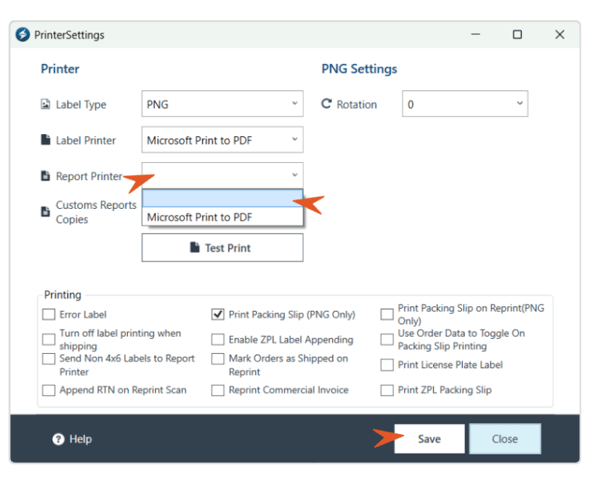
4) Save and close.


1) Open On Premises and click on the top left menu.
2) Select Settings then s elect Printer Settings.
3) Click the "Report Printer" dropdown and select the blank option in the dropdown.
4) Save and close.