
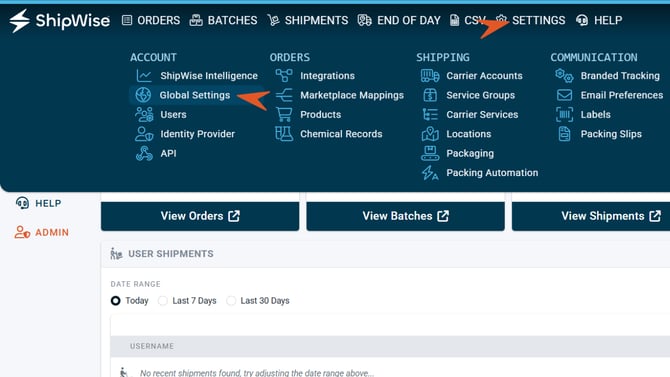
1) Navigate to Settings and select Global Settings under Account.
2) Find Batch Options and slide toggle on for the Batch Print Labels Control. This shows the Print Label button only when no order errors exist (Disables the Ship button if Rated and Total counts different.)
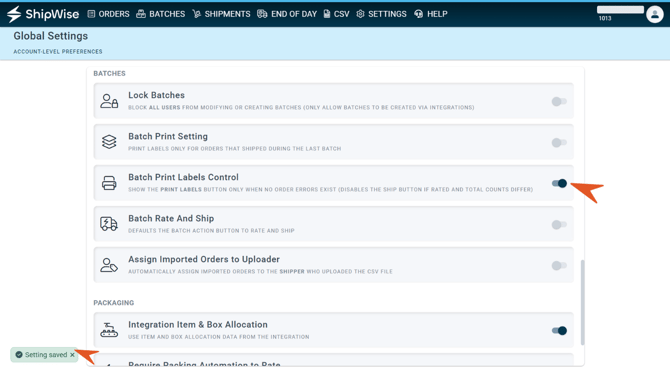
3) Changes should save automatically. Test a batch. Batches must be fully processed for the "Request Labels" button to be accessible.