
Onboarding Overview
Requirements
- Account login details for TikTok Shop account(s).
- A TikTok account will need to be configured in ShipWise for each individual shop for a given TikTok Shop account.
Workflow
- Navigate to the ShipWise app in the TikTok Shop App Store.
- Click install.
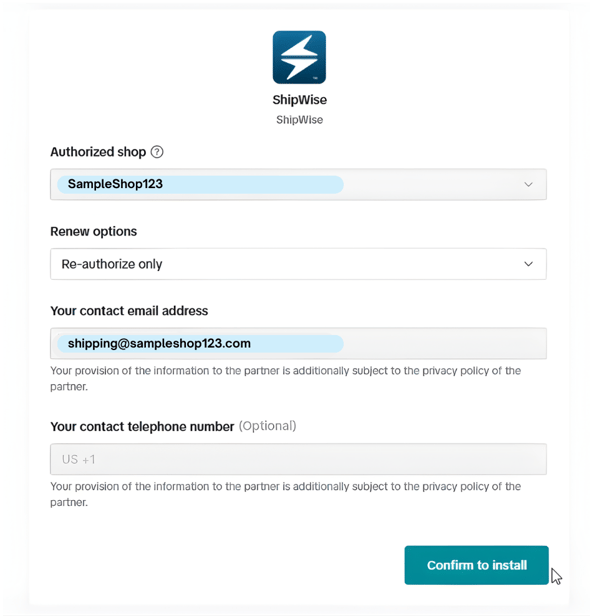
- Approve ShipWise for all requested permissions and select the shop being onboarded.
-1.png?width=590&height=711&name=SampleShop123%20(1)-1.png)
- The user will then be redirected to ShipWise. If the user is not already logged in they will be prompted to login.
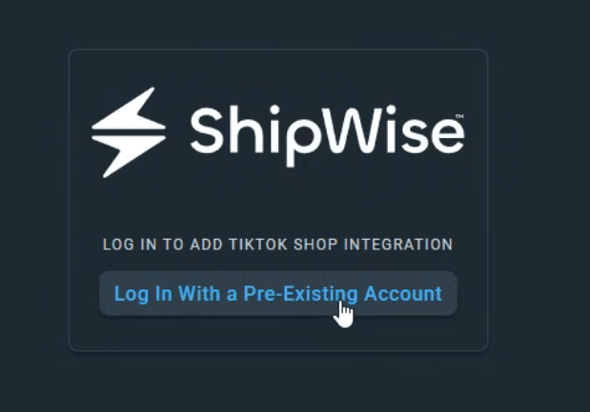
- At the next screen, the user will select the onboarding type, the shop from the drop down menu, and then the Confirm button to complete the onboarding process.
-1.png?width=590&height=449&name=SampleShop123%20(2)-1.png)
- The user will then hit save and the TikTok Carrier or TikTok Carrier and Integration will be onboarded.
TikTok Shipping vs Seller Shipping
-
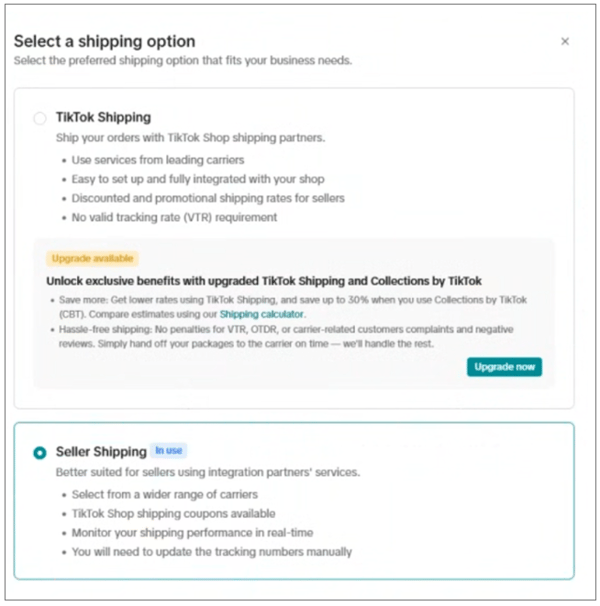
Your TikTok Shop account can be configured for either TikTok Shipping or Seller
Shipping. -
TikTok Shipping orders will be processed in ShipWise with the TikTok carrier.
-
Seller Shipping orders will be processed with standard carriers.
Order Integration Details
Direct Integrations with TikTok
-
For direct integrations to TikTok, both TikTok Shipping orders and Seller Shipping orders are supported.
-
ShipWise will have all of the necessary details for shipping and for determining if an order is a TikTok Shipping order or a Seller Shipping order.
For other Integrations and WMS/ERP systems please contact ShipWise Support to review the necessary updates required for supporting TikTok orders.
Shipping Details
Order Requirements
-
TikTok Shipping orders can only be processed with the TikTok carrier.
-
Seller Shipping orders must be processed with other carriers.
-
You will need to onboard each of your TikTok shops as a separate carrier account for fulfilling TikTok Shipping orders.
-
The “marketSecondaryKey” field should be set to “TikTokLogisticsUS” for TikTok Shipping orders (see ‘ShipWise API’ section below).
-
The “marketSecondaryKey” should NOT be set to “TikTokLogisticsUS” for Seller Shipping orders (see ‘ShipWise API’ section below).
-
The TikTok Order ID is required for shipping.
-
There is a TikTok carrier account level setting called Package Shipping Type.
-
If Package Shipping Type is set to Partial products in one parent order are shipped in multiple packages with multiple tracking numbers, then the TikTok Item IDs are required for TikTok Shipping.
-
If Package Shipping Type is set to All the products in one order are shipped in one package with one tracking number, then the TikTok Item IDs are not required for TikTok Shipping.
-
- For direct TikTok integrations setting the TikTok Order ID, TikTok Item ID, and setting the “marketSecondaryKey” appropriately for TikTok Shipping or Seller Shipping is handled automatically.
The ShipWise Service Code and Class for TikTok Shipping is - TT01 - TikTok Standard
Required package attributes
- Package weight
- Must be a positive value for package weight.
- Package dimensions
- Must pass positive values for length, width, and height.
ShipWise API
Note: the following details are required only for TikTok Shipping.
- POST /api/v1/Order/Create
- The "marketSecondaryKey" field should be set to "TikTokLogisticsUS"
- The TikTok Order ID must be passed in the "marketOrderId" field.
- The TikTok Item ID must be passed in the "uniqueId" field.
- Test Endpoint: POST https://testapi.shipwise.com/api/v1/Order/Create
- POST /api/v1/Rate
- The "marketSecondaryKey" field should be set to "TikTokLogisticsUS"
- The TikTok Order ID must be passed in the “orderNumber” field.
- The TikTok Item ID must be passed in the “marketOrderItemKey” field.
-
- Test Endpoint: POST https://testapi.shipwise.com/api/v1/Rate
- POST /api/v1/Ship/RateAndShip
- The "marketSecondaryKey" field should be set to “TikTokLogisticsUS ”
- The TikTok Order ID must be passed in the “orderNumber” field.
- The TikTok Item ID must be passed in the “marketOrderItemKey” field.
- Test Endpoint: POST https://testapi.shipwise.com/api/v1/Ship/RateAndShip
- POST /api/v1/Ship/RateAndShip/{orderId}
- There are no requirements for this endpoint as the required fields can be handled automatically.
Note: "marketSecondaryKey" should not be populated with “TikTok” for non TikTok
Shop US orders.